jobs work order
How Tiling Works in Low-Budget Repairs
Understand the officially demonstrated tile-placement flow without treating pre-release media as a final walkthrough.
Direct answer
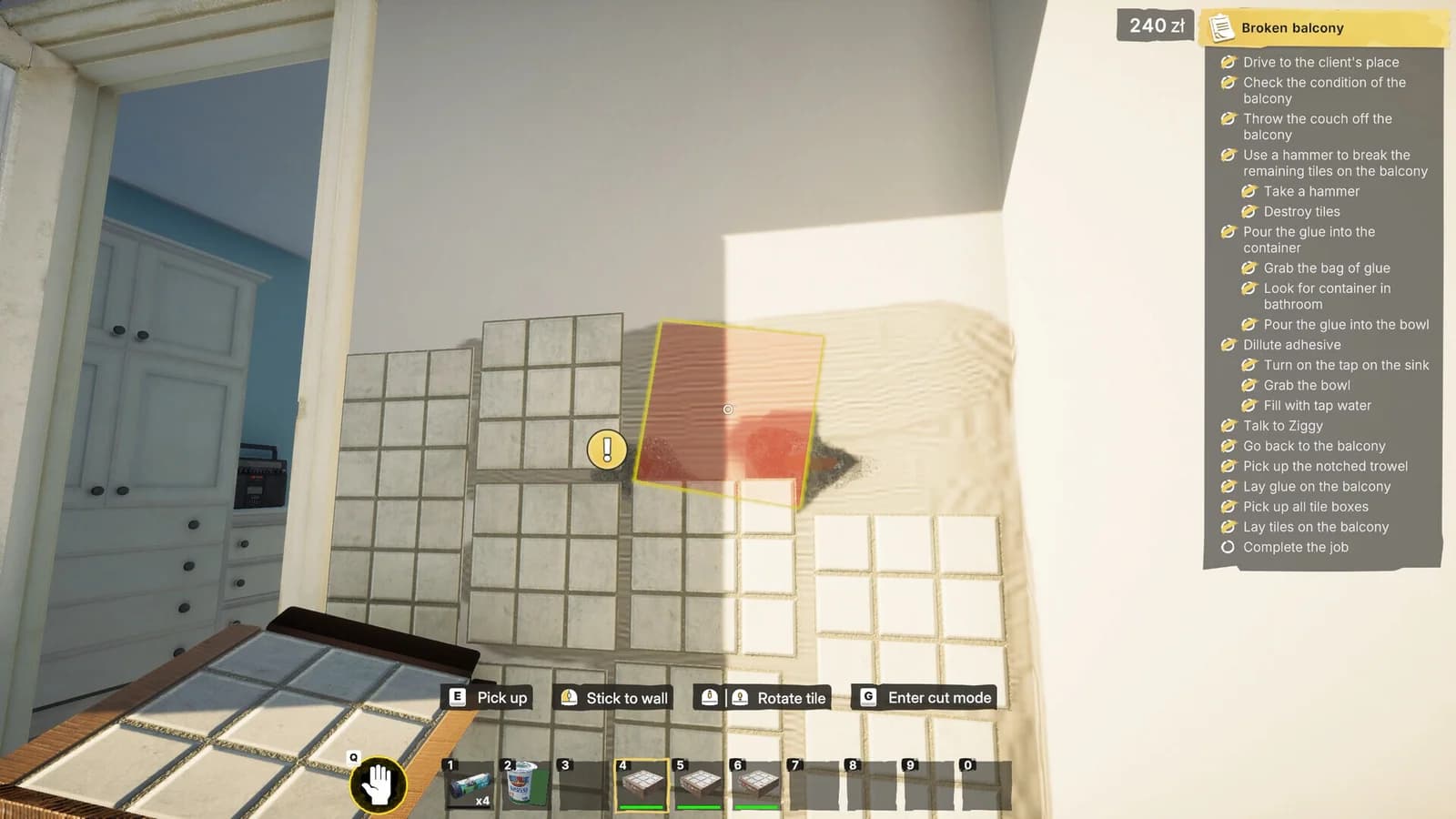
Official media shows tiling as a prepared-surface workflow: the job presents preparation steps, then lets the player pick up, position, rotate, and place tile sections on the target area. Final quantities and release objective order remain unverified.
Prepare before placing tiles
The official objective list shown with the tiling media includes surface preparation before placement. Follow the current build's checklist exactly. Do not infer a material quantity from the amount visible in a screenshot.
Placement controls shown in official media
When a tile section is active, the interface presents actions for picking it up, placing it against the wall, rotating it, and entering a cut mode. The binding icons can change with configuration, so follow the prompt rendered by your build.
Alignment and coverage
Move the preview over the requested surface and use its placement feedback before confirming. Work from an existing edge when the objective makes the intended boundary clear. If a section will not place, check whether preparation is complete and whether the preview overlaps an invalid area.
What still needs release verification
The Tools guide explains only the demonstrated role of tiling equipment. It does not prescribe a purchase order.
Sources
- Low-Budget Repairs on Steamsteam store · checked 2026-08-10 · Pre-release full-game store listing
Close-out questions
Frequently asked questions
- Are the final material quantities known?
- No. Buy or collect only what the current objective requests; release quantities have not been verified.